Monogram Framer and Monogram Framer Font for Effortless Design
For professionals, creators, and entrepreneurs looking to streamline their design processes, Monogram Framer offers a powerful solution. This tool simplifies the creation of custom monograms by integrating a unique font and clipart system that allows users to produce polished, professional-looking designs in minutes. Whether you're working on branding, personal projects, or marketing materials, Monogram Framer fits seamlessly into your workflow.
Understanding Monogram Framer and Its Workflow Integration
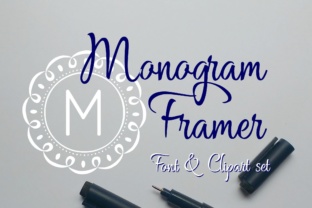
Monogram Framer is more than just a font—it’s a complete design system that combines typography with visual elements. The core concept revolves around a set of circular frames that can be customized using a specific font. This integration allows users to create monograms that are not only visually appealing but also consistent in style and structure.
The process begins with selecting a frame using a number from 0-9. Each number corresponds to a different frame design, offering flexibility in how the final monogram looks. Once a frame is chosen, simply type your letter without spaces, and the font automatically places it in the center of the selected frame. This eliminates the need for manual positioning, saving time and ensuring accuracy.
This approach is particularly useful in scenarios where speed and precision matter. For example, when designing personalized gifts, creating logos, or preparing social media graphics, Monogram Framer ensures that every monogram meets a high standard of quality without requiring advanced design skills.
How Monogram Framer Works in Practice
Using Monogram Framer involves two main steps: choosing a frame and entering your letter. The first step is straightforward—select a frame by typing a number between 0 and 9. These numbers correspond to different frame styles, allowing users to match the design to their project's aesthetic. Whether you prefer a minimalist look or something more ornate, there's a frame that suits your needs.
The second step is equally simple. After selecting a frame, type your desired letter or letters. The font automatically centers the text within the frame, ensuring proper alignment and spacing. This feature is especially beneficial for those who may not have access to graphic design software or who want to avoid the complexity of manual adjustments.
For users who prefer more control, Monogram Framer also includes individual frame cliparts. These can be opened in design programs, allowing you to place your letter using any font you choose. This flexibility makes Monogram Framer adaptable to a wide range of design preferences and requirements.
Integration with Other Tools and Resources
Monogram Framer works well with other design tools and platforms, making it a valuable addition to any creative toolkit. For instance, if you’re using Adobe Illustrator, Photoshop, or Canva, you can easily import the frame cliparts and customize them further. This compatibility ensures that Monogram Framer doesn’t limit your creative options but rather enhances them.
Additionally, the font files are compatible with most design software, allowing for seamless integration into existing workflows. This means you can use Monogram Framer alongside other fonts, templates, and assets without encountering technical barriers. The result is a more efficient and cohesive design process.
For teams or businesses that require consistency across multiple projects, Monogram Framer provides a reliable way to maintain a unified visual identity. By using the same frames and fonts across different materials, you ensure that all branded content aligns with your overall design strategy.
Practical Tips for Using Monogram Framer
To get the most out of Monogram Framer, consider the following tips:
- Plan your design before starting. Decide on the frame style, lettering, and placement to avoid unnecessary revisions.
- Experiment with different frames. Try various options to find the one that best matches your project’s tone and purpose.
- Use the clipart versions for customization. If you need more control over the layout, open the cliparts in your preferred design software and adjust as needed.
- Save frequently. Ensure that your work is backed up to prevent data loss, especially when working on multiple versions.
- Test your designs at different sizes. Check how the monogram looks when scaled up or down to ensure readability and clarity.
Real-World Applications of Monogram Framer
Monogram Framer is ideal for a variety of real-world applications. For small business owners, it can be used to create logos, signage, and packaging that reflect their brand identity. Entrepreneurs and marketers can leverage it for social media graphics, email newsletters, and promotional materials that stand out.
Educators and bloggers might use Monogram Framer to design course titles, blog headers, or personal branding elements. The simplicity of the tool makes it accessible to users of all skill levels, ensuring that even those without formal design training can produce professional results.
Hobbyists and DIY enthusiasts can also benefit from Monogram Framer. Whether creating personalized gifts, home decor, or craft projects, the ability to generate clean, centered monograms quickly adds value to their creative process.
Ensuring Quality and Consistency
One of the key advantages of Monogram Framer is its ability to maintain quality and consistency across multiple designs. By using predefined frames and fonts, you reduce the risk of errors that can occur during manual placement. This is especially important when working on large-scale projects or when multiple team members are involved.
Consistency is crucial in branding and marketing, where visual identity plays a significant role. Monogram Framer helps ensure that every monogram produced aligns with your brand guidelines, reinforcing recognition and trust among your audience.
Long-term use of Monogram Framer also benefits from its ease of maintenance. Since the font and cliparts are designed to work together, updates or changes can be implemented efficiently without disrupting existing workflows.
Conclusion: Monogram Framer for Streamlined Design
Monogram Framer is a practical solution for anyone looking to create professional monograms with minimal effort. Its combination of a specialized font and customizable frames simplifies the design process while maintaining high standards of quality and consistency. Whether you're working on a personal project, a business initiative, or a creative endeavor, Monogram Framer integrates smoothly into your workflow, enhancing efficiency and output.
By understanding how to use Monogram Framer effectively, you can save time, reduce errors, and produce polished results that meet your design goals. With its flexibility and compatibility, it’s a valuable asset for professionals and hobbyists alike.